
Common Solar Battery Discharge Problems and Fixes
Fix fast drains, charging faults, wiring and temperature issues in solar batteries with proper settings, monitoring, and routine maintenance.

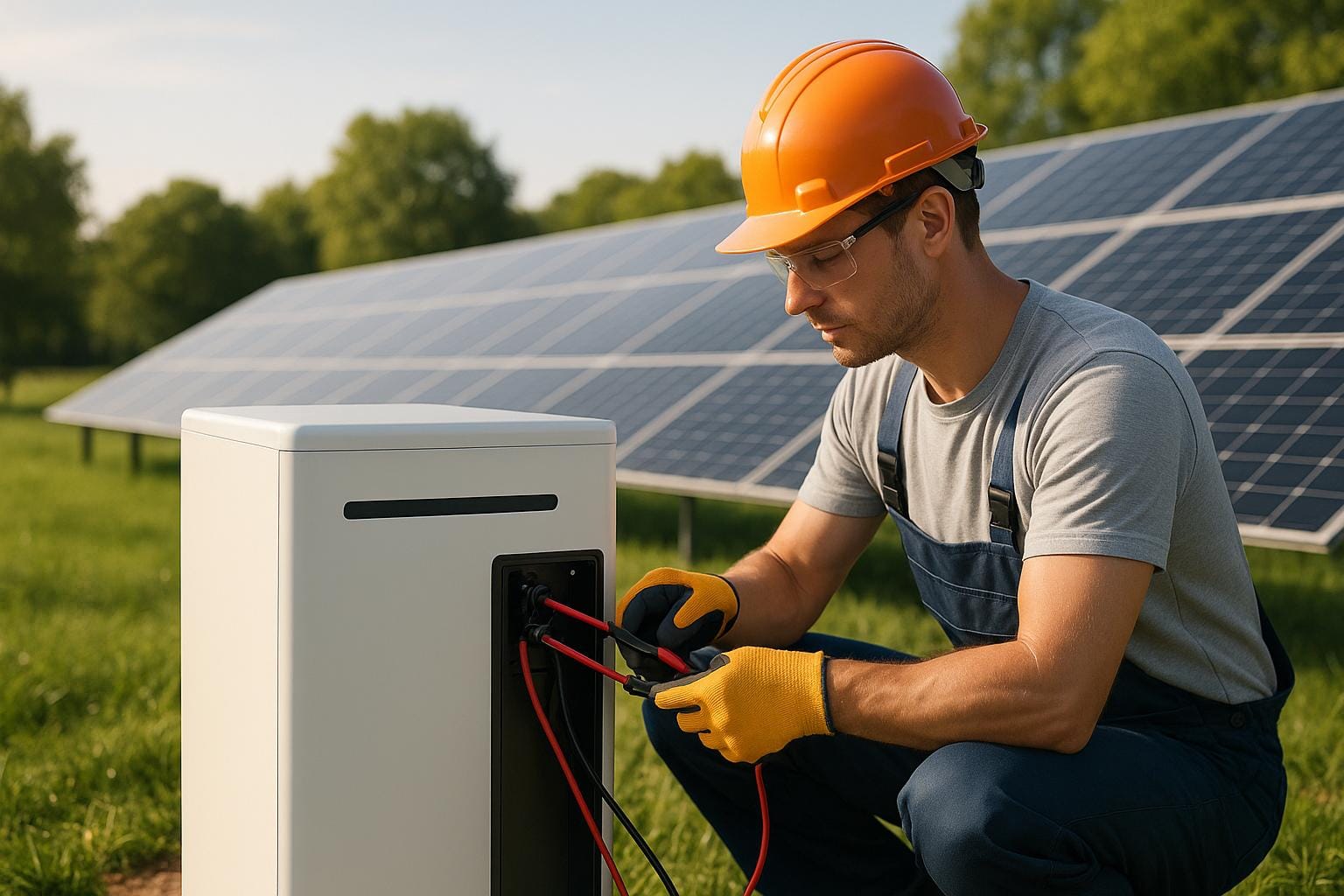
Solar batteries power your home when the sun isn’t shining, but they can face issues like rapid draining, incomplete charging, or reduced capacity over time. These problems often stem from factors like improper settings, faulty components, or extreme temperatures. Here’s how to address and prevent them:
- Fast Draining: Check for hidden power draws or undersized systems. Disconnect devices to isolate the issue and adjust usage patterns or inverter settings.
- Charging Issues: Verify charge controller settings match battery specifications. For lead-acid batteries, ensure temperature sensors are working.
- Temperature Effects: Keep batteries between 32°F–104°F. Avoid placing them in unventilated or freezing spaces.
- Aging Batteries: Perform capacity tests annually. Replace batteries if capacity drops below 60–70% of the original rating.
- Wiring and Components: Inspect connections for corrosion or damage. Upgrade undersized charge controllers if needed.
Regular maintenance, like monthly terminal checks and annual firmware updates, helps extend battery life. Monitoring tools can also pinpoint problems early. By following these steps, you can ensure your solar battery system runs smoothly for years.
Your Solar Battery Doesn’t Last All Night? Here’s Why!
Solar Battery Discharge Basics

Lithium-Ion vs Lead-Acid Solar Battery Discharge Limits and Performance Comparison
To understand how your solar battery discharges and to identify potential issues, you need to grasp two key measurements: State of Charge (SoC) and Depth of Discharge (DoD). SoC represents the percentage of energy left in your battery (e.g., an 80% SoC means the battery is 80% full). DoD, on the other hand, reflects how much energy has been used. For instance, if you’ve drained 30% of the battery’s capacity, that’s a 30% DoD.
These measurements are crucial because different battery types have specific DoD limits to prevent damage. For example, lithium-ion batteries, commonly used in U.S. homes, can safely discharge to 10–20% SoC (80–90% DoD) without significant harm, making them a popular choice for backup power. Lead-acid batteries, however, are more delicate. Regularly discharging them below 50% SoC (50% DoD) can lead to sulfate crystal buildup on the plates, permanently reducing their capacity. Ignoring these limits can drastically shorten a battery's lifespan.
Several components in your solar setup help manage discharge and protect the battery. The inverter converts DC to AC power and enforces low-voltage cutoffs during heavy loads. The charge controller, especially MPPT models, optimizes charging efficiency in varying weather conditions, helping to reduce deep discharges at night compared to simpler PWM models. In lithium systems, the Battery Management System (BMS) monitors cell voltage and temperature, shutting down discharge when conditions become unsafe. Additionally, a battery monitor or app provides real-time insights into SoC and usage patterns, allowing you to identify issues like unexpected overnight drains before they cause damage.
Environmental factors also significantly influence discharge behavior. During winter months, shorter days and lower sun angles - especially in northern states - mean your battery may start the evening less than fully charged, requiring deeper discharges to meet energy needs. Conversely, hot summers can speed up self-discharge and aging, particularly if your battery is in an unventilated space where temperatures exceed 104°F. Cold temperatures below 32°F temporarily reduce battery capacity and increase internal resistance, which can lead to underperformance during high loads. Many BMSs even limit discharge in such conditions to protect the cells.
The type of system you have also shapes discharge patterns. Grid-tied systems only discharge during power outages or peak-rate periods, keeping DoD low and reducing battery stress. In contrast, off-grid and hybrid systems often cycle deeply every day to handle overnight energy needs. For these systems, sticking to proper DoD limits and ensuring adequate solar panel sizing is critical to avoid chronic undercharging and rapid capacity loss.
These foundational insights set the stage for tackling specific discharge issues. Up next, we’ll explore common discharge problems and how to resolve them.
Common Discharge Problems and How to Fix Them
Battery Drains Too Fast
If your battery drops from 80% to below 20% overnight or triggers low-voltage alarms sooner than expected, the issue could be high electrical loads, phantom power draw, or an undersized system. Start by fully charging the battery, then disconnect all loads and monitor its state of charge. If the battery still drains without any load, it might be a faulty battery or BMS. However, if the charge holds steady, reconnect devices one by one to pinpoint which one is consuming too much power.
Once you’ve identified the source of the problem, review your connected devices by listing their wattages, estimated run times, and total watt-hours. If your routine energy use regularly exceeds 60–80% of the battery’s usable capacity, the system may be too small for your needs. Solutions include unplugging nonessential devices, enabling energy-saving modes on your inverter, programming low-priority devices to shut off when the battery’s state of charge drops below 30–40%, and scheduling high-demand appliances to run during peak solar hours rather than at night. Adjusting inverter settings and updating BMS firmware has been shown to extend backup duration by 18%.
Finally, check your charging settings to ensure they allow the battery to fully recover.
Incorrect Charging Levels
If your battery never reaches a full charge, triggers frequent low-voltage alarms, or loses capacity quickly, improper charge settings might be to blame. For lead-acid systems, ensure the charge controller’s absorption, float, and equalization voltages match the manufacturer’s recommendations. For lithium batteries, verify that the controller or hybrid inverter is configured with the correct lithium profile to align with the battery’s BMS requirements. Additionally, for lead-acid systems, confirm that temperature compensation is enabled with the correct sensor. Without proper compensation, extreme temperatures can lead to overcharging or undercharging.
If the settings are accurate but the battery still won’t charge fully, the charge controller itself might be undersized or defective.
Faulty Charge Controllers and Wiring
Inconsistent voltage readings, unusual LED patterns, error codes, or a battery that doesn’t fully charge despite adequate sunlight often point to a defective or undersized charge controller - or poor wiring. Start by powering down the system and inspecting all connections. Tighten any loose lugs, clean corrosion from terminals with a wire brush, and ensure proper polarity. Check that your cable size is appropriate, as undersized wiring can cause a voltage drop of over 3% and generate excess heat. If the controller is operating near or above its rated current, or if your solar array has expanded since installation, upgrading to an MPPT controller can improve charging efficiency. Finally, reset or power-cycle the controller and confirm its settings match your battery’s specifications.
Once you’ve resolved wiring issues, consider how environmental factors might affect battery performance.
Temperature Problems and Poor Placement
Extreme temperatures can wreak havoc on battery performance. High heat speeds up chemical reactions, leading to faster self-discharge, capacity loss, and even swelling or thermal runaway. On the other hand, cold temperatures - especially below freezing - can reduce capacity and discharge current. Many BMS units also limit charging in cold conditions, which can make the battery seem like it’s draining too quickly. To maintain optimal performance, keep battery temperatures between 32°F and 104°F by placing them in conditioned and ventilated areas.
For homes in the U.S., avoid placing batteries in unconditioned spaces like attics or south-facing sheds where temperatures can exceed 104°F. Instead, locate them in basements, utility rooms, or insulated parts of garages where temperatures remain more stable. Ensure proper ventilation by leaving space around the batteries, using vented enclosures for flooded lead-acid systems, and avoiding airtight setups for lithium batteries unless approved by the manufacturer. In colder climates, mild insulation, small thermostatically controlled heaters, or placing batteries in interior spaces can help keep them above freezing, protecting performance and extending their lifespan.
Battery Aging and Reduced Capacity
Over time, all batteries lose capacity, and aging can further shorten backup times. Signs of aging include shorter runtime at the same loads, reduced capacity during discharge tests, increased internal resistance (causing more voltage sag under load), and more frequent recharging. In lead-acid batteries, sulfation - caused by repeated undercharging or prolonged operation at a partial state of charge - can lead to chronically low capacity and difficulty reaching a full charge. While issues like incorrect charge voltages, loose connections, or faulty controllers can mimic aging, they usually come with inconsistent readings or error codes.
To determine if a battery has aged significantly, conduct a controlled capacity test: fully charge the battery, discharge it at a known rate to the manufacturer’s cutoff, and compare the result to its rated capacity. If it consistently falls below 60–70% of its rating, replacing the battery is often more cost-effective. For lead-acid batteries with mild sulfation, an equalization charge - administered per manufacturer guidelines - may help dissolve some lead sulfate crystals and rebalance the cells. However, if sulfation is severe and the battery can’t accept a charge or shows very low capacity, replacement is typically the better option.
How to Optimize Discharge Settings
Fine-tuning your battery's discharge settings can make a noticeable difference in its performance and lifespan. Let’s explore some practical ways to get the most out of your system.
Setting the Right Depth of Discharge
The depth of discharge (DoD) you set plays a big role in how long your battery lasts. For lithium-ion batteries, manufacturers generally recommend a usable DoD of 70–90% to maintain cycle life and warranty coverage. Many homeowners in the U.S. set their system’s minimum state of charge (SoC) at 10–20%, ensuring the inverter stops drawing power before the battery is overly depleted.
Lead-acid batteries require a gentler approach. Daily DoD should stay between 30–50%, meaning you should stop discharging once the battery reaches about 50–60% SoC. Deep discharges can cause sulfation, which significantly shortens their lifespan. If you're looking for more backup power during outages, consider maintaining a higher minimum SoC (30–40%) to keep extra capacity available. On the other hand, if your goal is to maximize self-consumption and reduce utility bills, you might push closer to the manufacturer’s DoD limit - but keep in mind, this can speed up battery aging.
To figure out the best settings for your system, check your average daily energy usage in kilowatt-hours (kWh) from your utility bill. Then, compare it to your battery’s usable capacity. For example, a 10 kWh battery with an 80% DoD provides about 8 kWh of usable energy.
Configuring Hybrid Inverter Modes
Hybrid inverters come with multiple operating modes that determine how and when your battery discharges. Adjusting these modes can help address discharge challenges.
In backup mode, the inverter prioritizes keeping the battery charged for emergencies, which minimizes deep discharges during regular use and extends battery life. Self-consumption mode, on the other hand, discharges the battery to fill gaps when solar output is low, often leading to deeper discharges.
If your utility charges higher rates during peak hours, time-of-use (TOU) optimization can save you money. With TOU, you can program your inverter to discharge more during expensive evening hours and recharge when grid electricity is cheaper or when solar production is high. Setting a minimum SoC - typically 20–30% - ensures battery health while keeping some reserve for emergencies. For homes with flat-rate electricity, a self-consumption strategy paired with conservative SoC limits often works best.
Using Battery Monitoring Systems
Real-time monitoring is key to spotting discharge problems early and fine-tuning your system. Many systems include built-in inverter portals or dedicated battery monitors, often integrated with smart battery management systems (BMS). These tools track critical metrics like SoC, charge/discharge power (kW), daily energy throughput (kWh), voltage, temperature, and cycle count.
Monitoring can reveal unexpected SoC drops caused by parasitic loads or standby devices consuming power even when not actively used. Similarly, sudden changes in SoC, mismatched voltage readings, or irregular discharge patterns might indicate issues with the charge controller or inverter - potentially requiring a reset, firmware update, or component replacement. A gradual loss of capacity, where the battery delivers fewer kWh over time, is a sign of aging. In such cases, consider reducing high-amp loads, using a shallower DoD, and planning for replacement.
For example, one U.S. homeowner with a 10 kWh lithium-ion battery initially set their system to an aggressive self-consumption mode with a 5% minimum SoC. This led to frequent deep discharges and rapid overnight depletion on cloudy days. After monitoring revealed steep SoC drops in the evening and high discharge currents from running multiple large appliances, the system was reconfigured. They implemented TOU optimization, set a 25% SoC reserve for emergencies, limited maximum discharge power, and rescheduled heavy loads like electric dryers to midday. Follow-up monitoring showed slower overnight discharges, fewer deep cycles, and more stable voltage - reducing battery stress, improving backup runtime, and cutting utility costs.
If you're still facing challenges or want to tailor your system further to your energy needs and local utility rates, consulting expert resources can help. Platforms like Get Solar Panels provide personalized guidance and troubleshooting strategies to ensure your system operates efficiently. Pairing good monitoring practices with regular maintenance will keep your battery running smoothly for years to come.
Maintenance to Prevent Discharge Issues
Regular upkeep is essential to sidestep battery discharge problems before they escalate. By sticking to a consistent schedule of inspections and cleanings, you can keep your solar battery system in top shape and tackle small issues early - saving yourself from more expensive repairs down the line. Routine maintenance also reinforces the fixes we've already discussed, ensuring smoother operation and fewer discharge headaches.
Monthly and Quarterly Checks
To keep your system running efficiently and avoid discharge troubles, follow these regular maintenance routines.
Monthly tasks focus on basic inspections and cleaning. Start by checking battery terminals and cables for signs of damage, corrosion, or leaks. If you spot corrosion, clean it off with a wire brush or fine sandpaper, then neutralize any acid residue using a baking soda–water mix. Once everything is dry, apply a thin coat of dielectric grease to prevent future oxidation. Always disconnect power and wear gloves for safety during this process. Also, make sure all connections are tight - loose connections can create resistance that mimics discharge issues. Finally, shut down the system each month to recalibrate the Battery Management System (BMS) readings, which can help resolve perceived discharge problems.
Quarterly reviews require a deeper dive. Start by reviewing your BMS logs for any voltage irregularities. Test battery voltages, keeping an eye out for imbalances over 0.1V, as they may signal underlying issues. Watch for sudden drops in the state of charge (SoC) below 20–30%, which could point to parasitic loads or system overloads. Use a clamp meter to detect unexpected power draws when the system is off. If you notice hidden drains, consider installing kill switches or unplugging chargers that stay on constantly.
Annual System Reviews
Once a year, conduct a full capacity test, update firmware, and review your system settings to maintain peak performance. Start by fully charging the battery, then discharging it to 20% under a controlled load. Compare the actual capacity to the rated capacity - after 3–5 years, you should still see around 80–90% retention. Updating the inverter and BMS firmware can smooth out inconsistent discharge patterns and even improve backup duration by roughly 18%. Double-check your settings, like depth of discharge (DoD) limits and hybrid inverter modes, to make sure they align with your current energy needs. If you’re using lead-acid batteries, an annual equalization cycle can help break down sulfation buildup.
For systems that aren’t used year-round, proper storage practices are just as important.
Storing Batteries During Off-Seasons
If you’re storing batteries for seasonal use - like in an RV or vacation home - take the right precautions. Keep them at 50–80% SoC in a cool, dry, well-ventilated space. Disconnect them from all loads and chargers, and check on them every three months to recharge if needed. Many lithium batteries come with built-in storage modes - use them if available. For lead-acid batteries, make sure they’re fully charged before storage to avoid sulfation. Be mindful of storage conditions, as poor environments can speed up capacity loss by 20–30% each year. Avoid freezing spaces like unheated garages during winter, as cold temperatures increase internal resistance, making discharge appear faster than it actually is.
Conclusion
Addressing discharge challenges effectively is key to maintaining energy reliability. Issues like rapid drainage, charging imbalances, faulty controllers, and capacity loss can disrupt your system, but they often have straightforward solutions. Installing high-quality MPPT charge controllers, ensuring proper ventilation, and incorporating a Battery Management System can help prevent many common problems.
To optimize your system, avoid letting batteries discharge below 20–30%, adjust inverter modes to align with energy demands, and use real-time monitoring to spot voltage imbalances early. These steps, combined with consistent upkeep, can keep your system running smoothly.
Routine maintenance is crucial. Monthly cleanings, quarterly voltage checks, and annual capacity tests can stop small problems from growing into bigger ones. For off-season storage, maintain batteries at a 50–80% charge level and store them in a cool, dry place to slow down degradation.
FAQs
How can I tell if phantom loads are causing my solar battery to drain too quickly?
If your solar battery seems to be losing charge faster than it should, even when no appliances are running, the culprit might be phantom loads. These are small amounts of electricity that devices draw even when they're not actively in use, or they could stem from faulty wiring.
To pinpoint the problem, start by monitoring your battery's discharge rate when all appliances are turned off. If the battery continues to drain, grab a multimeter or use a battery monitoring system to track any ongoing power draw. Once you detect an issue, unplug devices one at a time or check your wiring to figure out what's causing the drain. Tackling these phantom loads can help your battery hold its charge longer and work more effectively.
What is the best temperature range for storing solar batteries during the off-season?
To keep solar batteries working efficiently and lasting longer, it's important to store them in a temperature range of 68°F to 77°F. Exposure to extreme heat or cold can reduce their capacity and may even lead to damage over time. Whenever possible, use a climate-controlled space to maintain stable conditions.
How does Depth of Discharge (DoD) impact the lifespan of solar batteries?
The Depth of Discharge (DoD) is a critical factor when it comes to how long your solar battery will last. Essentially, the deeper the battery is drained (a higher DoD), the more its lifespan can be affected over time.
For lithium-ion batteries, it's best to avoid frequent deep discharges. These batteries tend to last longer when they're not fully drained. In contrast, lead-acid batteries are a bit more tolerant of deeper discharges, but even they can wear out faster if the DoD is consistently high.
If you want to extend the life of your solar battery, try to keep the DoD as low as you can during everyday use.
Related Blog Posts
Stop Overpaying for Electricity in 2026
Irish homeowners are saving thousands with the €2,400 SEAI grant and 0% VAT. Get 3 free quotes from vetted, SEAI-approved installers.
Your data is secure. We only share with top-rated SEAI-approved installers.